

Trading guides
MT4 vs MT5 in 2026: Which Platform Should You Actually Use?
MT4 vs MT5 in 2026, compare execution engines, coding languages, available markets, and broker support to decide which MetaTrader fits your trading style.
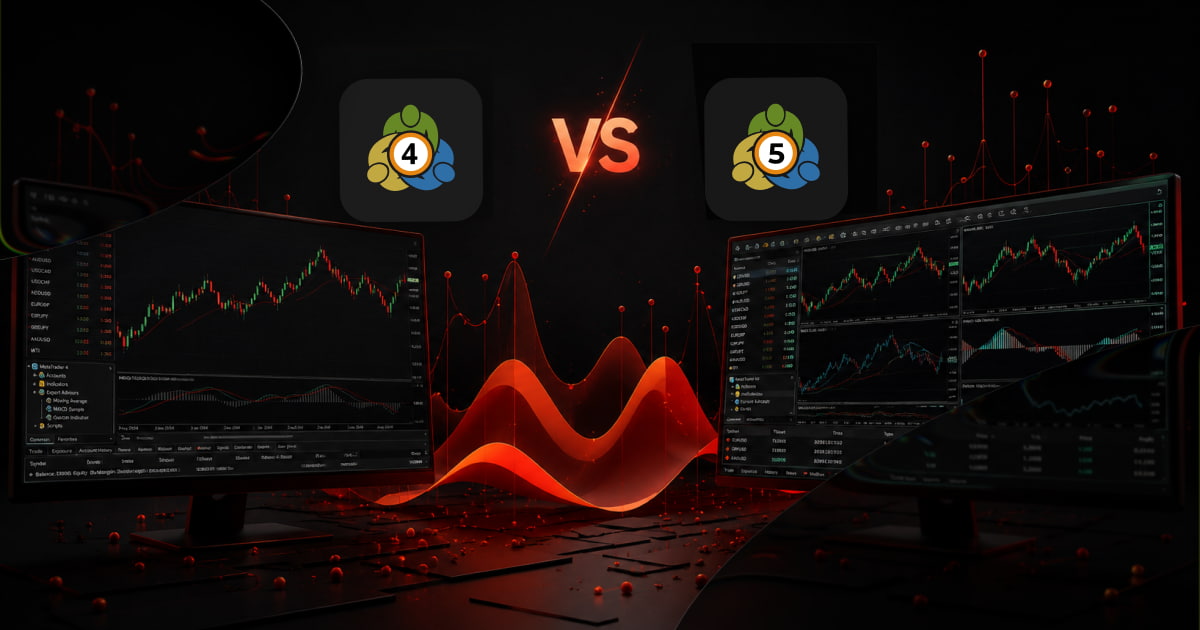
MT4 still handles more retail forex volume than MT5 globally, and that gap has barely narrowed in 2025. By the end of this guide you will know which execution engine, coding language, and instrument coverage fits your specific strategy, not the forum consensus. We compare 64-bit multi-threaded performance, MQL4 versus MQL5, available markets, and broker support so you can pick the platform that actually improves your daily workflow.
Why the MT4 vs MT5 Question Still Matters in 2026
If you follow trading forums, you might think MT4 is a relic headed for retirement. The data tells a different story. MetaTrader 4 still commands a massive active user base, and the majority of retail brokers, OnFin included, continue to offer it alongside or instead of MT5. It is not obsolete, and it will not vanish in 2026.
MT5 adoption has grown steadily since its 2010 launch, but it is far from universal. Some brokers offer only MT4, some only MT5, and many offer both. Regulatory shifts since 2020, including ESMA leverage caps and increased reporting requirements in several jurisdictions, have pushed some brokers to consolidate platforms or migrate clients, but the result has been fragmentation, not a clean transition. There is no single "right" platform across the industry.
Strategy, Not Version Numbers
The real question is not which platform is newer. It is which platform fits your specific strategy, preferred asset classes, and daily workflow. A forex scalper who relies on custom indicators and a deep library of MT4 Expert Advisors has different needs than a multi-asset trader running automated strategies on futures and equities. MT4 and MT5 differ in order execution, timeframes, backtesting engines, and available instrument types, and those differences matter more than the version number in the title bar.
What This Guide Covers
This article compares architecture, not hype. We walk through execution models, programming languages, available asset classes, performance benchmarks, and real-world broker support so you can decide which platform belongs on your desktop in 2026, or whether running both is the smarter move.
Execution Engine: How Each Platform Handles Orders Differently
The engine under the hood determines how fast your orders fire, how many charts you can stack, and whether your hedging strategy works out of the box. Here is where MT4 and MT5 diverge the most.
32-Bit Single Thread vs 64-Bit Multi-Thread
MT4 runs on a single-threaded 32-bit engine. It can address a maximum of 4 GB of RAM and processes all open charts, indicators, and EAs sequentially on one core. Push it past 8–10 charts with multiple indicators and you will feel the lag, especially during high-volatility news events.
MT5 uses a multi-threaded 64-bit engine. It can use all available CPU cores and address significantly more memory. The practical result: you can run 20+ charts with custom indicators and multiple Expert Advisors without frame-rate drops or delayed tick updates. For traders who monitor multiple pairs simultaneously, the difference is immediate.
Order Types: 4 vs 6
MT4 offers four pending order types: Buy Limit, Sell Limit, Buy Stop, and Sell Stop.
MT5 adds two more: Buy Stop Limit and Sell Stop Limit. A Stop Limit order combines a stop trigger with a limit price, useful when you want to enter only if the market breaks a level and then retraces to a specific price. This removes the need for workaround scripts that MT4 traders sometimes use to replicate the behaviour.
Hedging vs Netting
MT4 supports hedging by default, you can hold both a long and a short position on the same instrument simultaneously. MT5 uses a netting system by default, where each instrument can only have one position direction at a time. A new trade in the opposite direction closes (or reduces) the existing position.
If you need hedging on MT5, your broker must enable a hedging account flag on the back end. Not all brokers offer this. Before opening an MT5 account, confirm that the account type supports hedging if your strategy depends on it.
Real-World Tradeoff
MT5's multi-threaded speed advantage matters most for scalpers and algorithmic traders who rely on sub-second execution and tick-level precision. For swing traders holding positions for days, the difference is negligible, your order fills and chart performance will feel similar on either platform. Choose based on order-type needs and hedging preference, not raw speed, if you trade on higher timeframes.
Markets and Instruments: Which Platform Opens More Doors
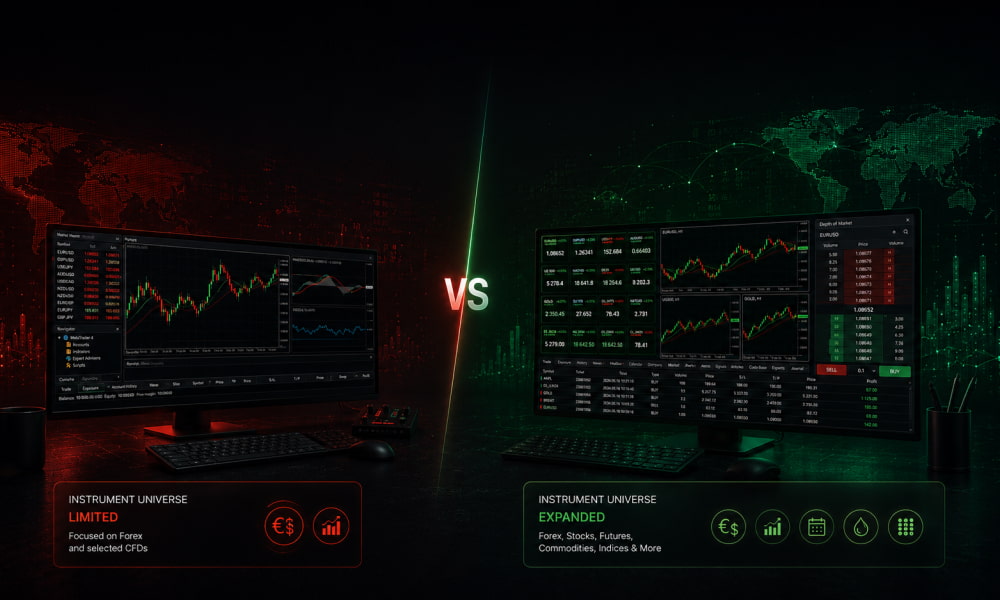
MT4 and MT5 look similar at first glance, but the instrument list tells a different story. If you trade only EUR/USD and a handful of major indices, either platform works. If you want stocks, futures, or options alongside your forex positions, the choice narrows fast.
MT4: Built for Forex and CFDs, and That's It
MetaTrader 4 was designed in 2005 for retail forex and CFD trading. It handles those well, tight execution, custom indicators, Expert Advisors. But the architecture caps the number of instruments and lacks native support for any asset class outside spot forex and CFDs. Most brokers offering MT4 in 2026 still restrict it to FX majors, minors, and a few commodity CFDs. If you want to trade actual futures contracts or individual equities on MT4, you are out of luck, the platform simply does not support them.
MT5: Multi-Asset by Design
MetaTrader 5 launched with a broader mandate: forex, CFDs, futures, stocks, options, and commodities, all inside one platform. The instrument limit is far higher, up to 100,000 symbols versus MT4's 1,024, and the order execution model accommodates exchange-traded products alongside OTC instruments. In 2026, brokers offering MT5 typically include US and European equities, index futures, and commodity futures alongside the usual forex pairs, all under one login.
Two Features MT5 Has That MT4 Doesn't
Depth of market (DOM). MT5 includes a built-in DOM book that shows live bid/ask orders at multiple price levels. Scalpers and futures traders use it to gauge liquidity and spot support/resistance zones. MT4 has no DOM at all, you see the best bid and ask only.
Economic calendar. MT5 has a native calendar with event filters, impact ratings, and time-zone sync. MT4 requires a third-party plugin or a separate browser window. For a trader who watches NFP or CPI releases, that extra click matters during a fast-moving session.
What Brokers Actually Offer in 2026
Most brokers still segment their offering by platform. A typical MT4 account gives you 50–70 forex pairs and a handful of index and commodity CFDs. An MT5 account at the same broker often unlocks 200+ instruments including US stocks, ETF CFDs, and futures. If multi-asset exposure is part of your strategy, MT5 is the only option that delivers it without a second platform or a separate account.
Backtesting and Strategy Tester: A Clear Winner
For traders who develop, test, or optimize Expert Advisors (EAs), the gap between MT4 and MT5 is widest right here, and it's not close. MT5's Strategy Tester was rebuilt from the ground up, and the performance difference is the single biggest practical reason to migrate.
Multi-Threaded vs Single-Threaded Processing
MT5's tester uses multi-threaded processing, spreading calculation load across all available CPU cores. A backtest that runs in 60 seconds on MT5 can take 6–10 minutes on MT4, depending on the EA's complexity and the number of ticks processed. MT4's tester is strictly single-threaded, it queues operations in a single line, leaving most of your processor idle.
This isn't a minor speed bump. If you regularly run multiple backtests to validate a strategy across different market conditions, the time saved on MT5 adds up to hours per week.
Multi-Symbol and Multi-Period Testing
MT4 limits you to one symbol and one timeframe per backtest. Want to see how your EA behaves when correlated pairs move together? You can't, not in a single pass. MT5 supports simultaneous multi-symbol and multi-period backtesting in one run. You can load a portfolio of instruments, apply the same EA across them, and evaluate cross-asset performance in a single test.
This is essential for hedge strategies, basket trading, or any EA that monitors multiple instruments before entering a position.
Real Ticks, Variable Spreads, or Fixed
MT5's tester supports forward testing (optimization) using real tick data and variable spreads that reflect actual market conditions. You can model slippage, commission structures, and spread widening during news events. MT4's tester uses fixed spreads and a simplified tick model. A strategy that looks profitable in an MT4 backtest can fall apart in live trading because the tester never accounted for spread expansion at the moment of entry.
Forward optimization in MT5 lets you validate a strategy on out-of-sample data without switching tools. The result: a much tighter correlation between backtest results and live performance.
Why This Matters
If you write or buy EAs, the backtesting gap between MT4 and MT5 is the most tangible difference between the two platforms. Faster runs, multi-symbol support, and realistic tick data mean you spend less time waiting and more time refining. MT4's tester is adequate for simple single-pair strategies. For anything beyond that, MT5 is the only serious option.
Programming Language and Custom Indicators: MQL4 vs MQL5
The code beneath the charts is where the two platforms diverge most sharply. MT4 uses MQL4, a scripting language with a C-like syntax that is relatively flat and procedural. MT5 uses MQL5, a full object-oriented language closer to C++ in structure and capability. If you build, buy, or modify Expert Advisors (EAs) and custom indicators, this difference determines which platform you can actually use.
MQL4: Simpler, Flatter, Widely Supported
MQL4 was designed for one job, automating forex trades on a single-instrument chart. Its syntax is straightforward: functions, global variables, and a main start loop. It supports basic data types (int, double, string, bool) and one-dimensional arrays. For a beginner coder writing a simple moving-average crossover EA, MQL4 is the easier place to start. The trade-off is that complex logic, multi-asset hedging, advanced order management, custom structures, quickly becomes messy or impossible.
MQL5: More Power, More Complexity
MQL5 adds object-oriented features: classes, inheritance, polymorphism, and pointers. It supports enumerated types, structures (struct), multi-dimensional arrays, and #define macros. The event model uses dedicated handlers (OnTick, OnTrade, OnTimer) instead of MQL4's single loop. This makes MQL5 dramatically better for advanced EAs, think multi-symbol scalpers, machine-learning integration, or position management across dozens of open trades. The cost is a steeper learning curve and more verbose code.
Zero Backward Compatibility
MQL4 code does not run on MT5. Period. The function libraries, order-handling logic, and event structure are fundamentally different. An EA written for MT4 must be fully rewritten, not merely recompiled, to work on MT5. This is the single biggest switching cost for traders with a library of custom tools.
Ecosystem Reality: Quantity vs Quality
MT4 has been the dominant platform for two decades, so its online library of free indicators, EAs, and scripts is enormous. MT5's library is growing but remains smaller, and many older MT4 tools have never been ported. However, new development increasingly targets MQL5 first, MetaQuotes itself shifted focus years ago. For an experienced algo developer building from scratch, MQL5 is the better long-term choice. For a beginner who wants to download a working EA and tweak a few parameters, MQL4 still offers the largest pool of ready-made code.
Charting, Timeframes, and Visual Tools Compared
Both MT4 and MT5 render clean, customizable charts, but the underlying limits differ significantly, and those differences matter once you start stacking indicators, running multiple windows, or trading off non-standard timeframes.
Timeframes: 9 vs 21
MT4 gives you the standard nine: M1, M5, M15, M30, H1, H4, D1, W1, MN. MT5 adds twelve more, including the 2-hour, 4-hour (separate from H4 on some builds), 6-hour, and 12-hour charts. These mid-range timeframes help traders spot intraday structure without switching to a custom-scripted multi-timeframe tool. Most retail traders use only 4–5 timeframes regularly, so the extra options are a nice-to-have rather than a dealbreaker.
Chart Objects and Graphical Tools
MT5 supports more chart objects, trendlines, Fibonacci tools, channels, shapes, and text labels, per chart than MT4. The practical difference: if you run a heavily annotated chart with multiple Fibonacci retracements, support/resistance levels, and cycle lines, MT5 handles the full stack without lag or object corruption. MT4 can start stuttering past 30–40 objects on a single chart, especially on older hardware.
Multi-Chart Limits
MT4 allows roughly 30–40 open charts before performance degrades noticeably. MT5 supports up to 100 simultaneous charts with smoother rendering. For traders running a multi-monitor setup, one screen for a 9-chart grid of majors, another for correlated pairs, a third for tick charts, MT5's higher ceiling is a real advantage. Single-chart traders working one pair at a time won't hit either limit.
Indicator Buffers
Each custom indicator you apply consumes buffer space. MT4 caps this at 8 buffers per chart. MT5 allows up to 512. That matters when you run a complex multi-indicator template, say, a moving average crossover with Bollinger Bands, ATR, RSI, and a custom volatility oscillator. On MT4 you risk hitting the buffer ceiling and having the indicator fail silently. On MT5 you have headroom to stack without worry.
Practical take: High-frequency scalpers running multiple charts, multiple indicators, and heavy annotation will notice MT5's higher limits every session. Single-chart traders working one timeframe with two or three indicators may never see a difference.
Broker Support, Liquidity, and the 2026 Reality
Platform features and interface preferences don't matter if your broker doesn't support the version you choose. The gap between MT4 and MT5 offerings varies significantly from broker to broker, and the landscape is shifting.
Not All Brokers Offer Both Platforms
Some brokers provide MT4 and MT5 side by side, with identical account types, spreads, and instrument lists on each. Others restrict certain products to one platform only, for example, offering forex and metals on MT4 while reserving CFDs on indices and commodities for MT5. Before opening an account, check which instruments are available on each platform under your preferred account type (standard, raw/spread, or Islamic). A broker that lists both platforms on its website may still gate specific assets behind one version.
The MT4 Phase-Out Trend
MetaQuotes stopped updating MT4 in 2022, and several brokers have announced timelines to retire it entirely. As of 2026, some regulated brokers in the EU and UK no longer offer MT4 to new clients, migrating everyone to MT5. Others maintain both, arguing that their client base, particularly EA-heavy forex traders, still prefers the older platform. If you rely on MT4-specific Expert Advisors or custom indicators, confirm your broker's long-term roadmap before building your setup around MT4.
Liquidity Access and Execution Architecture
MT5's multi-asset engine connects to a wider range of liquidity venues than MT4's forex-centric architecture. Brokers routing through MT5 can aggregate quotes from more equity, futures, and commodity liquidity providers, which can tighten spreads on non-forex instruments. For traders who cross asset classes, say, hedging EUR/USD with DAX futures, MT5's broader liquidity pool is a structural advantage that MT4 cannot match.
Mobile and Web: MT5 Pulls Ahead
Both platforms offer mobile apps for iOS and Android, but MT5's mobile version includes features MT4's app lacks: full order history, multiple pending order types, economic calendar integration, and depth-of-market view. The MT5 web terminal also supports more chart timeframes and analytical tools. If you manage positions from a phone or tablet regularly, MT5's mobile experience is noticeably more complete.
How to Check Your Broker's Offering
Don't rely on the marketing page. Log into the client area or contact support directly and ask three questions: Which instruments are available on MT4 versus MT5 under my account type? Are there any spreads or commission differences between the two? Does the broker have a migration timeline for MT4? A support chat response takes five minutes and can save you from depositing into a platform that won't support your strategy six months from now.
Which Platform Should You Choose? A Decision Framework
The MT4 vs MT5 debate doesn't have a single correct answer, the right platform depends entirely on what you trade, how you trade, and whether you rely on existing automation. The table below distills the choice into three clear profiles.
The Forex-Only Trader: Stick with MT4
If your universe is currency pairs and you depend on a library of EAs and custom indicators built over years, MT4 is still the safe choice. The MQL4 ecosystem is enormous, and most commercially available forex EAs are written for MT4. Porting them to MT5 is not always straightforward, MQL5 is a different language, and logic around order handling, pending orders, and hedging differs. Unless you have a specific reason to switch (e.g., your broker is dropping MT4 support), there is no urgency to migrate.
The Multi-Asset Trader, Algo Developer, or Scalper: MT5 Wins
MT5's advantages compound the more instruments you trade. If you trade stocks, indices, commodities, or crypto alongside forex, MT5's depth-of-market view, 21 timeframes, and 6 pending-order types give you more tools. For algo developers, MQL5 is objectively more powerful, object-oriented, faster backtesting with multi-currency and multi-thread support, and a built-in strategy tester that can handle tick data. Scalpers benefit from MT5's sub-second order execution and the ability to run up to 64 simultaneous charts.
The Beginner: It Depends on Your Path
New traders often ask which MetaTrader is better for beginners. The honest answer: it depends on whether you plan to code or trade manually. If you want to learn algorithmic trading from scratch, start with MT5, MQL5 is closer to modern programming languages and the skills transfer better. If you plan to trade manually and use third-party EAs, MT4's simpler interface and larger pool of ready-made tools is easier to navigate.
The Hybrid Approach: Run Both
Many experienced traders keep both platforms installed on the same machine and switch per strategy. A typical setup: MT4 for a legacy EA on EUR/USD and MT5 for a multi-asset portfolio with custom indicators. Both platforms can run simultaneously without conflict, and most brokers provide access to both. This gives you the flexibility to use each platform where it excels without committing to a full migration.
Final Litmus Test: 3 Questions to Ask Yourself
Do I rely on existing MT4 EAs or indicators that have no MT5 equivalent? If yes, MT4 is your primary platform until you verify compatibility.
Do I trade more than just forex, or plan to? If yes, MT5's multi-asset features and depth-of-market will eventually become necessary.
Am I willing to learn MQL5 to unlock better backtesting and automation? If yes, MT5 is the forward-looking choice; if no, MT4 remains sufficient.
FAQ
Is MT5 better than MT4 for forex trading?
Not necessarily. MT4 remains the industry standard for forex, its order-execution model, one-click trading, and vast library of custom indicators are built around spot-currency workflows. MT5 adds more timeframes, a built-in economic calendar, and depth-of-market data, but its netting-only position system (no hedging) is a dealbreaker for many forex scalpers. If you trade mostly forex pairs, MT4 is still the better fit. If you trade multiple asset classes, MT5's broader toolkit wins.
Can I use MT4 indicators on MT5?
No, MT4 and MT5 use different programming languages. MT4 runs MQL4, while MT5 uses MQL5, which is structurally closer to C++. An .ex4 or .mq4 indicator file will not load in MT5. Some popular indicators have been rewritten in MQL5 by their developers, but there is no automatic conversion tool. Always check compatibility before switching, and budget time to find or rebuild your core indicator set if you move to MT5.
Will brokers stop supporting MT4 in 2026?
Some will, but most won't. MetaQuotes stopped selling new MT4 licenses in 2022, and several brokers have migrated new clients to MT5. However, thousands of brokers still maintain MT4 servers for existing users, and the platform's massive retail base makes a sudden shutdown unlikely in 2026. The trend is toward gradual phase-out, not a hard cutoff. If you rely on MT4, check your broker's upgrade roadmap, and consider learning MT5 now as a backup.
Which platform is faster for backtesting EAs?
MT5 is significantly faster. Its MQL5 compiler and 64-bit architecture allow multi-threaded backtesting, which can run 5–10 times quicker than MT4's single-threaded MQL4 engine on the same hardware. For complex strategies with multiple indicators or tick-level data, the difference is even larger. If backtesting speed is a priority, especially for algorithmic or high-frequency approaches, MT5 is the clear choice.
Can I run both MT4 and MT5 on the same computer?
Yes. MT4 and MT5 are separate applications and can be installed side by side with no conflicts. Each platform stores its data in its own folder (no shared registry keys or overlapping config files). Many traders run both simultaneously, MT4 for their main forex accounts and MT5 for backtesting or multi-asset analysis. Just make sure your computer has enough RAM (8 GB minimum) if you plan to keep both open with multiple charts and EAs running.
Read next