

Trading guides
How to Trade Forex: Step-by-Step Guide for Beginners
Learn how to trade forex step by step, from choosing a broker and opening an account to placing your first trade. Covers leverage, risk, and why most traders lose.
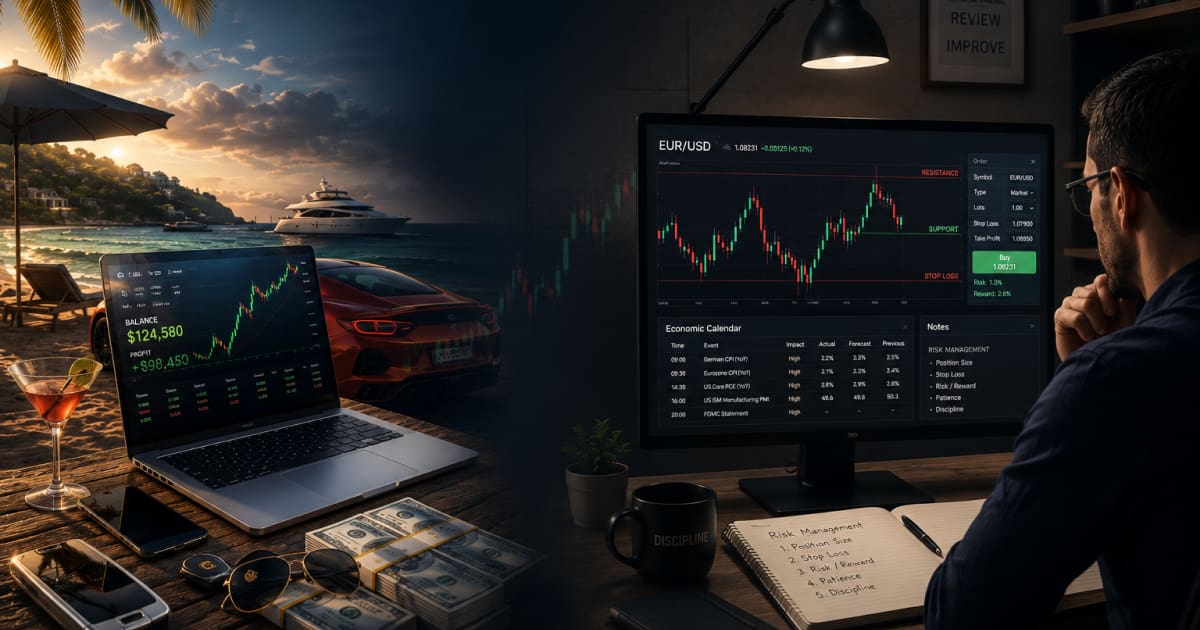
A $50 deposit will open a live forex account at most brokers, but 70–80% of retail traders lose money, and the gap between the minimum deposit and the amount you actually need is where most beginners get wiped out. By the end of this guide you will know exactly how to choose a broker, set up your platform, place your first trade, and size leverage so a single bad session does not empty your account. We cover the real profitability numbers, the three reasons most traders lose, and the specific dollar amounts that separate gambling from trading.
What Is Forex Trading, and What Actually Moves the Market
Forex trading is the exchange of one currency for another on the spot market, the world's largest financial market, with a daily turnover exceeding $7.5 trillion according to the Bank for International Settlements. You trade currency pairs like EUR/USD (euro vs. US dollar) or GBP/JPY (British pound vs. Japanese yen), betting on whether the base currency will strengthen or weaken against the quote currency. It is not a get-rich-quick scheme. Consistent success requires understanding what drives price, and accepting that you are a small participant in a massive institutional arena.
Who Moves the Market, and Where Retail Traders Fit
Retail traders are price-takers, not price-makers. The vast majority of forex volume originates from commercial banks, central banks, hedge funds, and multinational corporations executing cross-border transactions. According to the BIS Triennial Survey, banks and institutional dealers account for roughly 90% of daily turnover. Retail traders enter and exit positions at prices set by liquidity providers, they react to moves, they do not create them. Accepting this asymmetry is the first step toward realistic expectations.
The Three Core Market Drivers
Central bank policy (interest rates). Interest rate decisions are the single most powerful driver of currency value. Higher rates attract capital looking for yield, strengthening the currency; lower rates do the opposite. Traders watch central bank statements and forward guidance as closely as the rate change itself.
Economic data (NFP, CPI, GDP). Scheduled releases such as Non-Farm Payrolls (employment), Consumer Price Index (inflation), and Gross Domestic Product (growth) signal the health of an economy. A stronger-than-expected print typically boosts the currency; a miss weakens it.
Risk sentiment. When global uncertainty rises, geopolitical tensions, banking stress, or equity selloffs, capital flows into safe-haven currencies like the US dollar, Japanese yen, and Swiss franc. When confidence returns, traders rotate into higher-yielding or commodity-linked currencies such as the Australian and New Zealand dollars.
Pips and Lot Sizes, The Basic Units
A pip (percentage in point) is the smallest standard increment of price movement for most currency pairs. For EUR/USD, one pip equals 0.0001. For USD/JPY, one pip equals 0.01. Pips are how traders measure profit, loss, and spread costs.
Lot sizes determine how much each pip is worth in your account currency:
Standard lot (100,000 units), one pip = ~$10 on EUR/USD
Mini lot (10,000 units), one pip = ~$1
Micro lot (1,000 units), one pip = ~$0.10
Most beginners start with micro or mini lots to control risk while they learn. The lot size you choose directly controls your exposure, never size a position larger than you are willing to lose in a single trade.
How Much Money Do You Need to Start Trading Forex
The short answer: you can open a live account for as little as $50, but the realistic answer for anyone who wants to trade without gambling is closer to $500–$2,000. The gap between those numbers matters more than most beginners realize.
Minimum Deposit vs. Realistic Capital
Most brokers, including OnFin, offer micro accounts with minimum deposits of $50–$100. A micro account lets you trade 1,000-unit lots, so a single pip on EUR/USD is worth about $0.10. That keeps losses small, but it also keeps gains small. A $50 account that returns 10% in a month nets you $5. That's a learning tool, not a growth account.
Realistic trading capital starts where a single losing trade doesn't emotionally wreck you or trigger a margin call. For most retail traders, that threshold sits around $500–$2,000. At that level, you can trade mini lots (10,000 units, $1 per pip) and still follow proper risk management, risking 1–2% per trade means $5–$10 at risk, not your whole account.

How Leverage Changes the Math
Leverage amplifies buying power, not profits. Under ESMA regulations, retail clients get a maximum of 1:30 on major forex pairs. On a $500 account, 1:30 leverage gives you roughly $15,000 in notional exposure, enough to open a position on EUR/USD at standard lot size (100,000 units). But that same leverage works against you just as fast. A 50-pip move against a standard lot position costs $500, your entire account. With 1:30 leverage, a 3.3% move in the wrong direction wipes you out.
That's why experienced traders treat leverage as a ceiling, not a target. On a $500 account, trading 0.10 lots (10,000 units) at 1:30 keeps margin requirements low, roughly $33 in margin for that position, and limits your downside to $10 per 100 pips. The account survives a string of losses. At full leverage on a standard lot, it doesn't.
Demo vs. Live: The Real Entry Point
Most brokers offer demo accounts with $10,000–$100,000 in virtual funds, no deposit required. Use that first. The jump from demo to live is psychological as much as financial, real money changes your decision-making. A $100–$200 live account is a reasonable bridge: enough skin in the game to feel the pressure, not enough to cause real damage while you're still learning.
Broker minimums vary. OnFin's minimum deposit aligns with industry standards at $50 for micro accounts. Check the deposit page for your region, because regulatory jurisdiction can shift the floor. The key takeaway: start with what you can afford to lose entirely, and only increase capital once your strategy shows consistent results on a small account over several months.
Is Forex Profitable for Beginners, The Real Numbers
What the Industry Disclosures Actually Say
Every regulated broker is required to publish a percentage of retail clients who lose money. The numbers are consistent across jurisdictions: ESMA reports that 70–80% of retail CFD traders lose money. CySEC and ASIC disclosures land in the same range. These are not cherry-picked stats, they are legally mandated figures that appear on every broker's landing page.
If you are a beginner, the probability that you will lose money in your first year of live trading is roughly three out of four. That is the honest starting point.
Why Most Traders Lose
The losses are not random. Four patterns account for the majority:
No stop-loss. A single runaway move can wipe an account. Without a hard exit, a 50-pip loss turns into a 500-pip hole.
Over-leverage. Trading 1:500 on a $500 account means a 0.2% move can double or zero the balance. Leverage amplifies losses faster than it amplifies gains.
Revenge trading. After a loss, the impulse is to double the next trade to "get it back." This is the fastest way to blow an account.
No defined strategy. Entering based on a hunch, a headline, or a friend's tip is gambling, not trading.
Each of these is a learned behaviour, and each can be unlearned before real money is at stake.
What "Profitable" Actually Means
A beginner who wins three trades in a row might feel profitable. That feeling is misleading. Real profitability means consistent positive expectancy over 100 or more trades, a strategy where the sum of wins exceeds the sum of losses across a statistically meaningful sample. A single winning week proves nothing. A six-month track record on demo with a positive risk-reward ratio starts to mean something.
The Learning Curve Is Real
The traders who do become profitable share one trait: they spent 6–12 months on a demo account before funding live capital. That period is not a delay, it is the actual training ground. On demo you test entries, exits, drawdown tolerance, and emotional response without financial consequences. The serious traders treat demo like live. The rest skip it and join the 70–80% statistic.
Is forex profitable for beginners? Yes, some are. But the probability is low without a systematic edge, consistent risk management, and months of practice. The numbers do not lie.
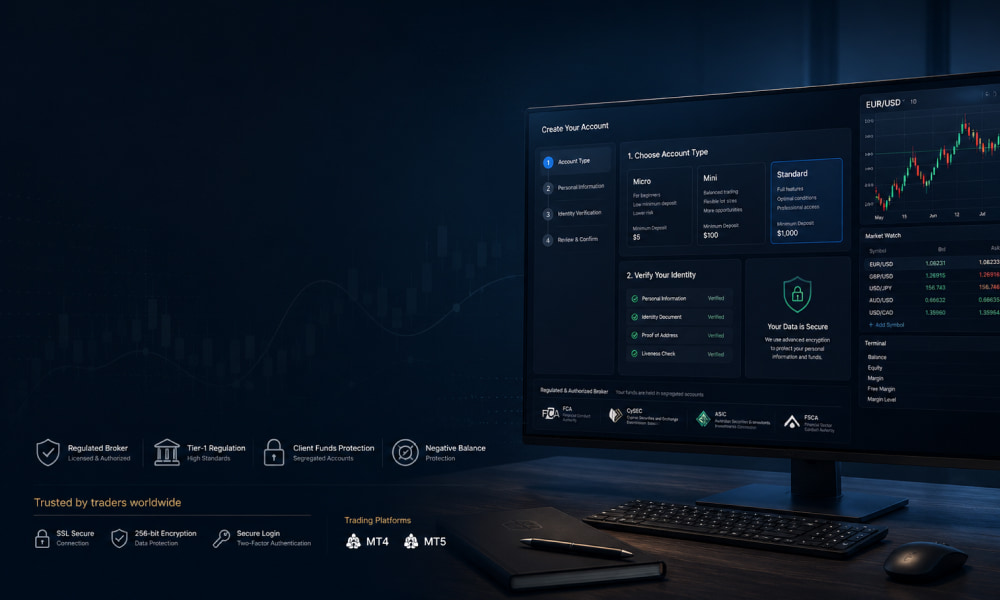
Step 1: Choose a Broker and Open the Right Account Type
Your broker is your gateway to the market, the wrong one costs you in slippage, slow withdrawals, or worse, frozen funds. Three criteria matter most.
Broker Selection Criteria
Regulation comes first. A broker regulated by the FCA (UK), CySEC (Cyprus), or ASIC (Australia) must segregate client funds, submit to audits, and participate in investor compensation schemes. Unregulated brokers can, and do, disappear with client money.
Spreads and execution model determine your real trading cost. STP (Straight Through Processing) brokers pass your orders directly to liquidity providers and earn on the spread. Market makers take the other side of your trade; they can widen spreads during volatility and may have a conflict of interest when you win. For most retail traders, a reputable STP broker is the cleaner choice.
Withdrawal speed matters more than you think. A trustworthy broker processes withdrawals within 1–3 business days. If reviews mention weeks-long delays or "verification loops," move on.
Account Types Explained
Standard account, 100,000-unit lots. Best for traders starting with $2,000+.
Mini account, 10,000-unit lots. Good for $500–$2,000 balances.
Micro account, 1,000-unit lots. Ideal for sub-$500 starts and testing strategies with real money at low risk.
Islamic (swap-free) account, No overnight interest (swap) charges, compliant with Sharia law. Available at most regulated brokers but requires a signed declaration.
Demo vs. Live, When to Switch
Start on a demo account. Trade it as if real money is on the line, same position sizes, same risk rules, same session hours. Switch to live only after you show consistent profitability over three consecutive months, not one lucky week. A single hot streak is noise; three months of steady equity-curve growth is a signal.
Documentation and KYC
Under MiFID (EU) and equivalent regimes in the UK and Australia, every broker must verify your identity before funding. You will need:
A government-issued ID (passport or national ID card)
A recent utility bill or bank statement as proof of address (issued within the last 3 months)
KYC (Know Your Customer) is not a hurdle, it is your protection. It prevents identity theft, money laundering, and unauthorised account access. Submit clear scans and your verification clears in 24–48 hours at most regulated brokers.
Step 2: Install MT4 or MT5 and Set Up Your Charts
Your trading platform is where every decision happens, execution, analysis, and order management. OnFin supports both MetaTrader 4 and MetaTrader 5 across desktop, web, and mobile. If you trade forex and CFDs, MT4 remains the industry standard; if you also trade exchange-traded equities or want more advanced timeframes, MT5 gives you extra order types and depth of market.
Download and Install
Head to the OnFin website and navigate to the Platforms section. You'll find download links for Windows and macOS desktop installers, a browser-based WebTerminal (no install required), and iOS/Android apps. Download the desktop version for full charting power; use the mobile app for monitoring positions on the go.
Basic Chart Setup
Open a chart on any pair, EUR/USD is a good starting point. Right-click the chart and choose Timeframes. Most day traders use M15 (15-minute) for entries, H1 for intraday direction, H4 for swing structure, and D1 for the broader trend. Next, change the chart type: Candlesticks show open, high, low, and close in a single bar, they're the default for a reason. Bar charts display the same data as candlesticks but without the visual body. Line charts connect closing prices only and are useful for spotting clean trendlines on higher timeframes.
Add Key Indicators
Moving Average (50 and 200), A 50-period MA tracks short-term momentum; a 200-period MA defines the long-term trend. When the 50 crosses above the 200 (a "golden cross"), it signals bullish bias.
RSI (Relative Strength Index, period 14), Measures whether a pair is overbought (above 70) or oversold (below 30), helping you avoid chasing extended moves.
Volume, Confirms the strength behind a price move. Rising volume on a breakout supports its validity; falling volume suggests exhaustion.
Save a Chart Template
After you've set your preferred timeframe, chart type, and indicators on one chart, right-click the chart and select Template > Save Template. Name it something like "OnFin Default." Now, every time you open a new pair, right-click > Template > Load Template and pick your saved layout, no need to re-add indicators one by one.
Market Watch Window
The Market Watch panel (Ctrl+M on desktop) lists all available instruments. Right-click inside it to Show All or hide specific symbols. The Spread column (enable it by right-clicking the column headers) shows the real-time difference between the bid and ask prices, tighter spreads mean lower cost per trade. Keep an eye on this column during news events, when spreads can widen sharply.
Step 3: Place Your First Trade, Order Types and Execution
You've chosen a broker, funded your account, and studied the charts. Now it's time to execute. This step walks through the order types, the trade ticket, and what happens between clicking "Buy" and seeing the position in your terminal.
Market Orders vs. Pending Orders
A market order buys or sells at the current live price instantly. You use it when you want in or out now, no waiting, no conditions. It's the default for most day-to-day entries and exits.
Pending orders sit on the server until price reaches a level you specify. There are four types:
Buy limit, place an order to buy below the current price. You expect the pair to drop, bounce off support, and rise. Use case: a retracement entry in an uptrend.
Sell limit, place an order to sell above the current price. You expect the pair to rise, hit resistance, and fall. Use case: selling into a rally at a known level.
Buy stop, place an order to buy above the current price. You expect a breakout through resistance. Use case: momentum entry on a trend continuation.
Sell stop, place an order to sell below the current price. You expect a breakdown through support. Use case: catching a downside breakout.
Walking Through a Live Trade
Open the New Order window in MT4 or MT5 (F9 on your keyboard, or right-click the symbol in Market Watch). Here's what you'll see:
Symbol, the pair, e.g. EUR/USD. Confirm it matches your analysis.
Volume, your lot size. 0.01 is a micro lot (1,000 units), 0.10 is a mini lot (10,000), 1.00 is a standard lot (100,000). Start with 0.01 or 0.10.
Stop Loss, the price at which the trade closes automatically if the market moves against you. Set it before you click.
Take Profit, the price at which the trade closes automatically at a profit.
Comment, optional label for your records (e.g. "EUR/USD support bounce").
Set your stop-loss and take-profit levels, then click Sell by Market or Buy by Market. The trade appears in the Terminal tab at the bottom of the platform.
Instant Execution vs. Market Execution
Brokers handle order routing differently, and the difference affects your fill price.
Instant execution, the platform sends your order to the broker's dealing desk, which checks if the requested price is available. If not, it requotes you a new price. You accept or cancel. This is common with market makers and can cause delays during fast markets.
Market execution, the platform sends your order directly to the liquidity pool and fills it at the best available price. No requotes. You may get a slightly different price than what you saw on the screen, but the fill is near-instant. Most ECN/STP brokers use market execution. OnFin uses market execution for all account types.
Slippage: What It Is and How to Minimize It
Slippage is the difference between the price you expect and the price you actually get. It happens when volatility spikes or liquidity drops, typically around major news releases (NFP, FOMC, CPI) and during low-liquidity sessions (Sunday open, Asian lunch hour).
Slippage can work for or against you. A buy order on EUR/USD at 1.1050 might fill at 1.1053 (negative slippage, +0.3 pips cost) or at 1.1048 (positive slippage). To minimize negative slippage:
Avoid trading through high-impact news events unless you have a specific strategy for them.
Use limit orders instead of market orders when entering at a specific level.
Trade during high-liquidity sessions, London and New York overlap (12:00–16:00 GMT) offers the tightest spreads and fastest fills.
Check your broker's slippage policy. OnFin protects clients from negative slippage on stop-loss and take-profit orders, you never get filled worse than your requested level on protective orders.
What Is the Safest Leverage for a Beginner
Leverage is borrowed capital from your broker, it amplifies your position size, not your edge. A 1:30 ratio means you control a $30,000 position with $1,000 of your own money. It also means a 3.33% move against you wipes your entire account. Treat leverage as a risk tool, not a profit accelerator.
Why Less Is More When You Start
For accounts under $2,000, the safest range is 1:5 to 1:10. That keeps a single trade from blowing a hole in your equity before you've built consistency. Experienced retail traders rarely push past 1:20, and only on major pairs with tight spreads. If you're learning price action or order flow, high leverage masks bad entries and rewards luck over skill.
Regulatory Limits Already Protect You
European regulators (ESMA) cap retail leverage at 1:30 for major forex pairs, 1:20 for minor and cross pairs, and 1:10 for commodities and indices. These limits exist because retail traders consistently overestimated their ability to manage high leverage. The caps aren't a suggestion, they're the maximum your broker can offer. You can and should trade below them.
The Math on a $500 Account
At 1:10 leverage, a $500 account opens a $5,000 position. A 2% move in your direction returns $100, a 20% gain on your account. The same 2% against you costs $100, or 20% of your capital. At 1:30, that same 2% move swings $300, wiping 60% of the account in one trade. A string of three 2% losses at 1:30 and the account is gone.
The Practical Rule
Use less leverage than the broker offers. Just because your platform allows 1:30 or 1:50 doesn't mean you should take it. Set your trade size so that a normal daily move, 0.5% to 1% on a major pair, costs you no more than 5% of your account. That usually works out to effective leverage of 1:5 or 1:10. Let the broker's limit be your ceiling, not your target.
Why Do Most Traders Lose, and How to Avoid Being One of Them
The statistics are blunt: roughly 70–80% of retail forex traders lose money. The causes are not market conspiracies or bad luck, they are three root behaviors that are entirely within your control.
Three Root Causes of Losses
No risk management. Traders risk 5%, 10%, even 20% of their account on a single trade. One or two losses wipe out weeks of work. Emotional trading. Decisions driven by fear or greed override the logic that got you into the trade. Lack of a tested edge. Entering random setups without statistical proof that the strategy works is gambling, not trading.
The 1% Rule, and the Math
Risk no more than 1% of your account on any single trade. On a $1,000 account, that means your maximum loss per trade is $10. If your stop-loss is 20 pips wide, you size your position so that 20 pips equals $10, a half-micro lot (5,000 units) on most EUR/USD pairs. The math protects you from catastrophic drawdowns: ten consecutive losses (rare for a sound strategy) would only cost 10% of the account, not 100%.
Psychology Traps That Empty Accounts
Revenge trading after a loss. Taking a larger position to "win it back", usually results in a larger loss.
FOMO on a breakout. Chasing price after the move has already run, entering without a stop in place, and getting caught in the reversal.
Over-trading after a win streak. Confidence inflates position size and loosens discipline. The next loss hits harder than the wins felt good.
The Trading Plan as a Survival Tool
A written plan is not optional. It must include: entry rules (exact conditions that trigger a trade), exit rules (profit target and stop-loss distance), max daily loss limit (e.g., stop trading after three consecutive losses or a 3% drawdown), and no-trade zones (news releases, 30 minutes before a major session close, or when you are tired or distracted).
Journal Every Trade
Record each trade: pair, entry and exit price, risk-reward ratio, and your emotional state at the time of entry. Review the journal weekly. Patterns emerge, you may notice you lose consistently on Thursday afternoons or when you trade during London lunch. Fixing those patterns is how a losing trader becomes a profitable one.
FAQ
How long does it take to learn how to trade forex?
Most traders need 3–6 months of consistent practice on a demo account before they are ready to trade with real money. The learning curve depends on how much time you dedicate daily, your familiarity with financial markets, and your ability to manage emotions under pressure. Focus on mastering one or two currency pairs and a single strategy before expanding. Forex is a skill, not a shortcut, plan for at least a year before you can expect consistent results.
Can I trade forex with $100?
Yes, many brokers including OnFin offer micro lots (1,000 units) and high leverage that make a $100 account viable. With a micro lot, one pip on EUR/USD is worth about $0.10, giving you room to manage risk. The tradeoff is tight: a few losing trades can wipe out a small account quickly. Stick to very low leverage (5:1 or 10:1), risk no more than 1% per trade, and treat the $100 as a learning stake rather than a serious capital base.
What is the best time of day to trade forex?
The best time is during a market overlap when two major sessions are open simultaneously. The London–New York overlap (12:00–16:00 GMT) offers the highest liquidity and tightest spreads, especially on EUR/USD and GBP/USD. The Asian–London overlap (06:00–08:00 GMT) is quieter but still tradable. Avoid weekends and the 22:00–00:00 GMT window when liquidity is thin and spreads widen unpredictably.
Do I need a strategy before I open a live account?
Yes. Trading without a tested strategy is gambling, not trading. A strategy defines your entry and exit rules, stop-loss placement, position size, and the market conditions you will trade. Without it, emotional decisions, revenge trading, holding losers too long, will drain your account. Backtest your strategy on historical data, then forward-test it on a demo account for at least 50–100 trades before funding a live account.
What happens if my stop-loss gets hit and the market gaps?
If the market gaps past your stop-loss level, your order fills at the next available price, not at the stop price. This is called slippage, and it can result in a larger loss than expected. Gaps typically occur over weekends or after major news events. You cannot eliminate gap risk, but you can reduce it by avoiding holding positions through high-impact news releases and weekend closes. Some brokers offer guaranteed stop-loss orders for an added cost.
Read next